
Whenever you enter a new family member, the head of household's insurance coverage is assigned automatically to the new family member. A patient's insurance coverage appears in the Insurance card of the Family File window.
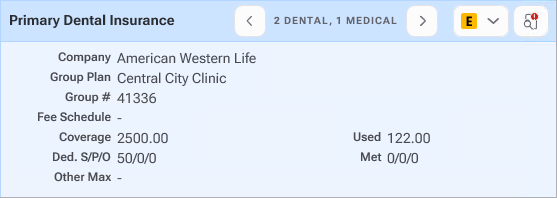
Clicking the right- or left-arrows in the Insurance card toggles back and forth between Primary, Secondary, and Medical insurance plans to allow you to view both medical and dental coverages for the patient. Medical does not appear if the patient does not have medical insurance. The number indicates the number of dental or medical insurance plans the patient subscribes to or is covered by.
For more information on managing your patients' insurance plans, please refer to the following topics:
Assigning insurance to subscribers
Assigning insurance to non-subscribers
Assigning secondary insurance to subscribers with dual coverage
Assigning secondary insurance to non-subscribers
Assigning medical insurance to subscribers
Changing insurance carrier information
Setting up insurance provider IDs
Changing insurance provider IDs
Deleting insurance provider IDs
Clearing insurance provider IDs
Copying insurance provider IDs
Editing insurance claim information
Switching primary and secondary coverage
Setting up PPO insurance plans